
Public beta · Now live
Your iPhone is now a hitting lab.
Measure exit velocity, launch angle, and distance just from the phone in your pocket.
Public beta · Now live
Measure exit velocity, launch angle, and distance just from the phone in your pocket.
Ballista detects impact, follows the baseball frame by frame, and turns raw video into useful feedback.
Review the number, replay the flight, and save every result to your profile.
Serious tee-work numbers. No dedicated facility. No extra tracking hardware.
Set the phone beside the tee, take your swing, and get a measured result. Capture, detection, analysis, and session history stay inside one focused workflow.
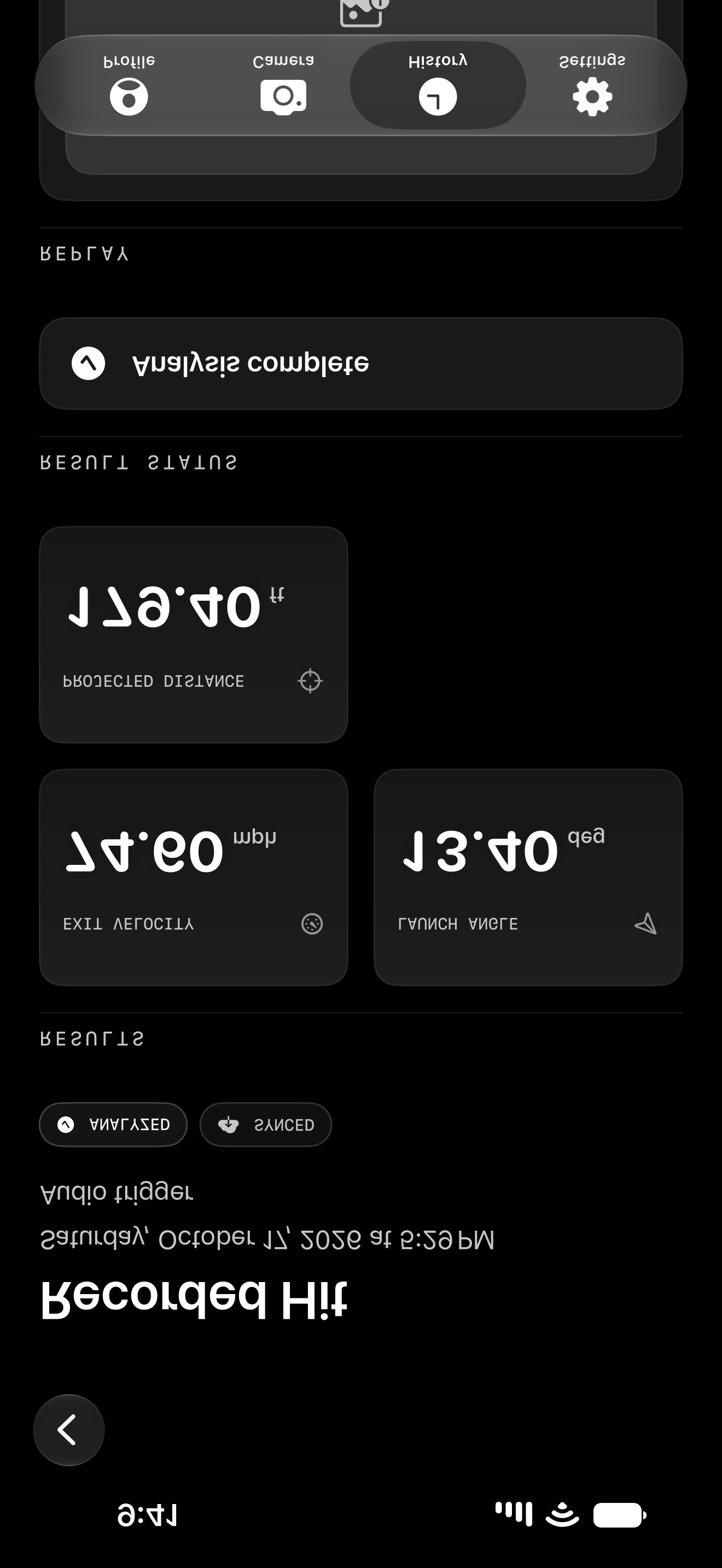
See a tee swing move from high-speed capture to a measured result, directly on iPhone.
How fast the ball leaves the bat.
The vertical direction of the ball at launch.
An estimated flight distance from the measured launch.
The point is not collecting data for its own sake. It is giving each tee rep a result you can compare, question, and improve.
Ballista is deliberately narrow at launch. Controlled tee work creates repeatable conditions, so the product can focus on a dependable measurement workflow.
Place the iPhone beside the hitter and line up the tee inside the capture view.
Ballista isolates the hit and follows the baseball through the captured frames.
Review the metrics, inspect the tracked replay, and keep the hit in your player record.
A single number is interesting. A history of measured reps is useful.
Ballista organizes analyzed hits into a player record so hitters can review personal bests, session consistency, and trends without rebuilding the story from scattered clips and notes.
Every hitter can capture and analyze unlimited tee swings. Pro is for athletes who want every hit preserved and the deeper performance dashboard.
For individual hitters
$0Forever
Measure every tee session without a trial clock.
For serious player development
$9.99USD / month
The complete Ballista app, built around a permanent performance record.
For coaches and organizations
CustomContact sales
A tailored setup for teams, instructors, facilities, and larger organizations.
Pricing shown in USD. Team and enterprise plans are tailored to roster size, workflow, and rollout requirements.
An iPhone, a stable tripod, a batting tee, and enough room to frame the hitter and ball flight. Ballista turns the phone you already carry into the measurement system.
No. Ballista uses the iPhone camera and its own analysis workflow. You do not need a radar unit, sensor attachment, or dedicated hitting facility.
Each analyzed tee swing can return exit velocity, launch angle, and projected distance, along with a replayable tracked result you can keep in your player record.
The launch version is built first for controlled tee work. That narrower setup creates repeatable conditions for measurement, comparison, and player development.
Free includes unlimited tee-swing capture and analysis, your latest 25 hits, and a focused statistics view. Pro adds complete hit and session history, advanced statistics, comparisons, trends, and the full development dashboard.
Analyzed results and statistics sync to your Ballista account. Recorded video and extracted frames currently remain on the device, so deleting the app can remove those local files even when the measured result remains in your account.
Yes. Team and enterprise access is tailored to roster size, coaching workflow, onboarding, and deployment needs. Contact Ballista for a rollout built around your organization.
Join the early-access list for product updates, testing invitations, and launch access.
For hitters, coaches, instructors, teams, and facilities.